Find - Animals
The 'Find' link allows you to search for an animal (or group of animals) based on a selection criterion (see first screen below). The criteria available are Animal ID, Registration Number, EID, Tattoo, and BHID. The BHID is an internal database number unique to a particular animal similar to a registration number but specific for the GEM database. There is an Active Status radio button that defaults to "Active" which means the search will be limited to animals active for the log in operation. By highlighting the "All" radio button the search will look thoughout the database according to the criterion specified. Animal Find searches are case-insensitive, meaning it does not matter if you type in a upper or lower case letter, the search ignores the case of your letters. Search criteria includes: Animal ID .
Default option is "Starts with", but other options of Equals, Ends with, and Contains can be chosen. Note when using the Contains option sometimes many animals are found. Animal ID will always work if the animal is active and controlled by the log in operation. Registration Number (alone or in combination with Association and/or reg prefix). Any animal on the database can be found via registration number with the Active Status radio button "All" highlighted. Electronic ID (EID) . Normally you would paste an EID into this box via an EID reader utilizing keyboard wedge software. But, you can also type a value into this box by hand. Tattoo . An animals full tattoo must be entered. Tattoos are usually unique for a given log in operation. Note that seaching via tattoo with the "All" radio button highlighted will likely find many animals. BHID . Each animal is automatically assigned BHID internal GEM. This is a unique number that differentiates all animals in the GEM database. You can think of this as GEM's version of a registration number.
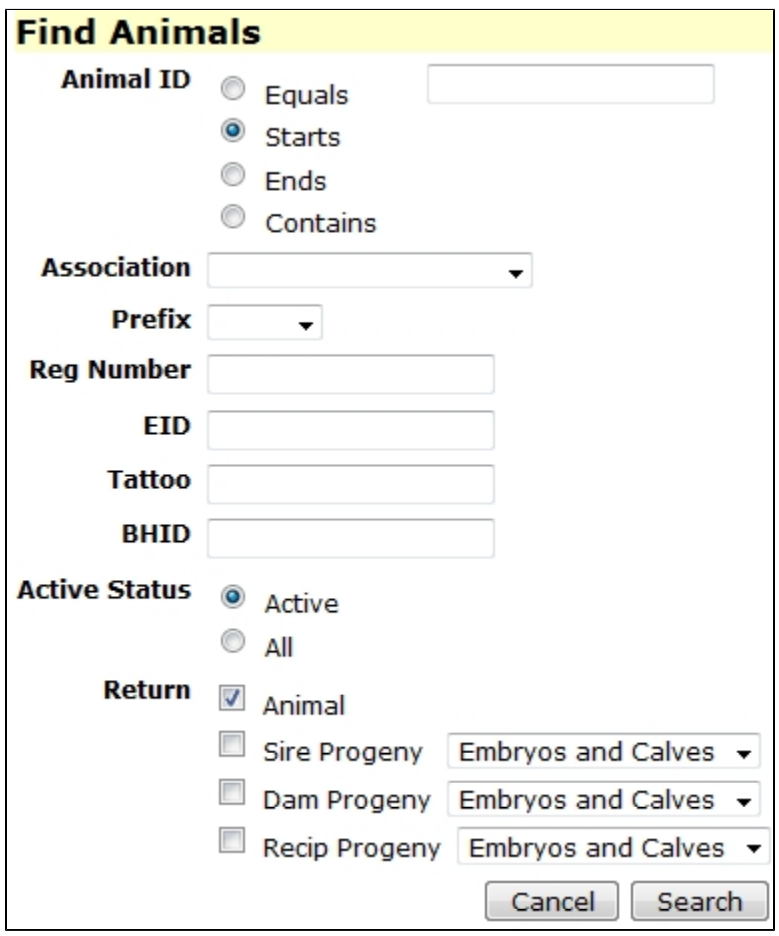
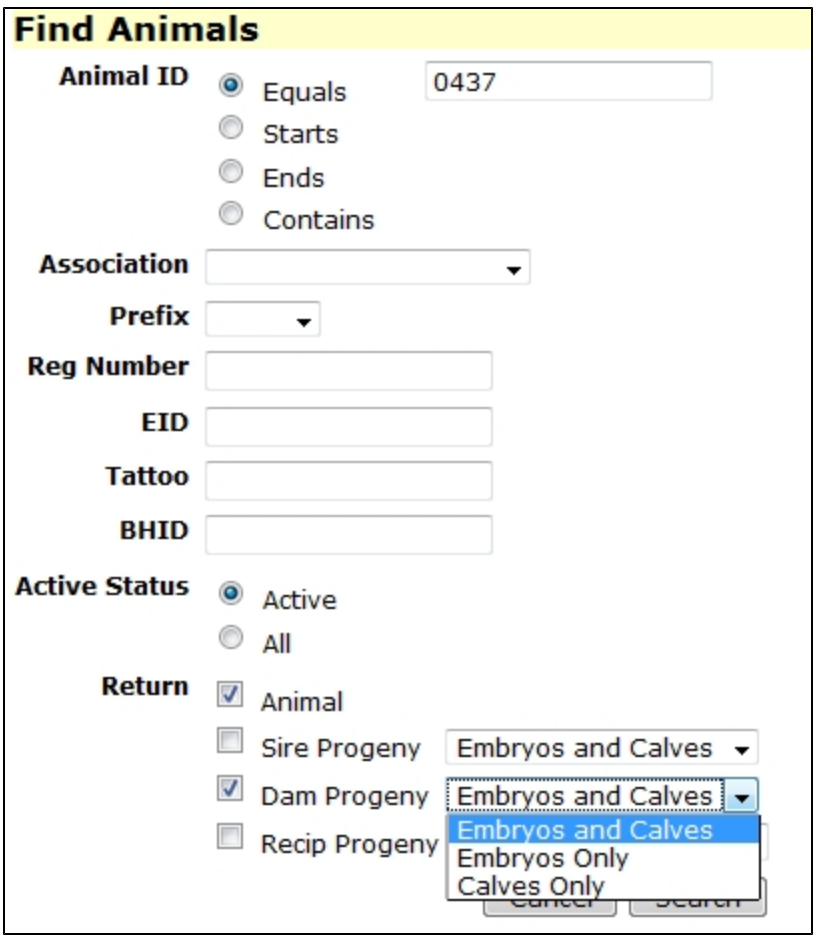
Information returned from the "Find": Animals resulting from the animal "Find" are placed in a system special named set called 'Single Animal'. The system set is named Single Animal; however, the search may result in more than a single animal being returned depending on the criterion presented to the operation. The returned animal(s) go automatically to the 'Browse' screen. You can navigate to any of the other functions (Edit, Reports, etc) by simply clicking on those links at the left of the screen. The second screen shot below shows an example of searching for a cow along with her progeny and embryos. The same can be done with a sire's or a recipient cow's progeny and embryos. In the case of sires this option may return many animals and/or embryos. Note in GEM each embryo has a record with an ID.
Sets
An animal set is simply a list of animals. You can think of it as a list of animal IDs on a sheet of paper. A set can contain an unlimited number of animals and an animal can be in an unlimited number of sets.
New - Animals
The "New" link under Animals is the starting point for entering new animal records to the database which can be new baby calves or purchased animals whose records may not be on GEM. Note many animals which may be purchased will already have records on GEM. It would be a rare case that an animal(s) purchased from another GEM client did not already have a record on GEM.