Ownership/Location Reports
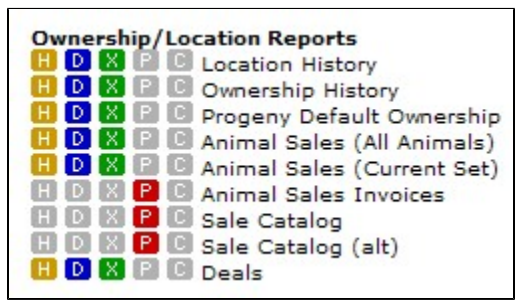
The Ownership / Location Reports section contains animal reports that would be used describing location or ownership information. The report name describes the general group of information the report contains.
In addition to being a report, the Animal Sales (All Animals) link also allows you to create both people and animal sets based on sales and purchase specifications.
Location History Report
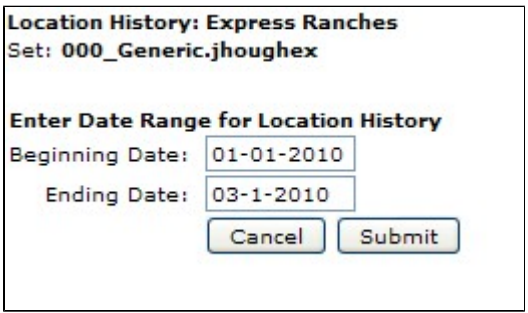
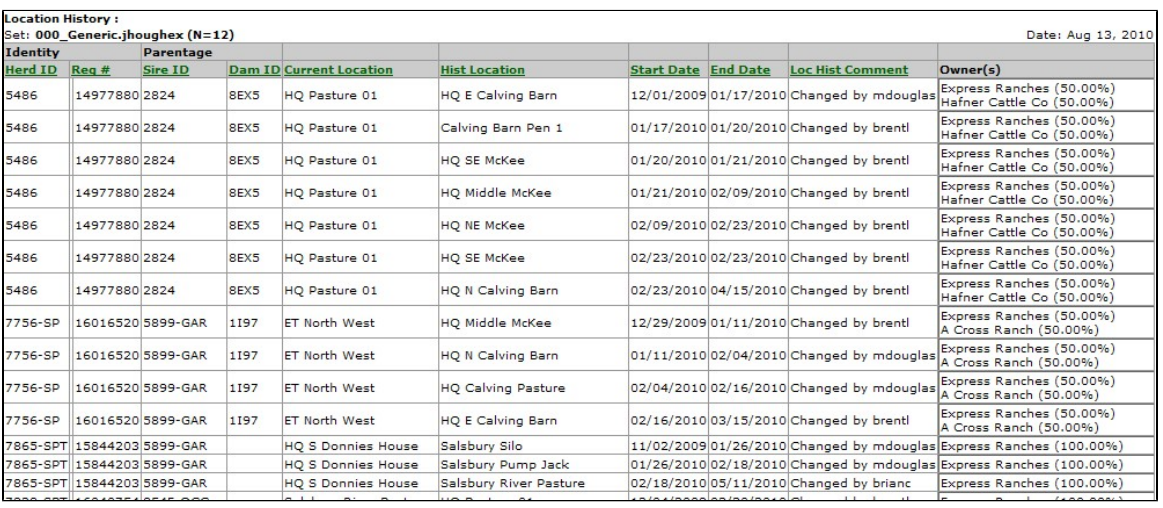
Via Batch jobs, GEM maintains every physical location an animal has been in it's entire lifetime. Actually in the case of animals resulting from embryo transfer, GEM even maintains the nitrogen tank locations prior to implantation when the animal was still a frozen embryo. The Location History Report lists all locations an animal has resided within a given date range. The majority of GEM reports show the current location for an animal, while this is the only report that shows the history.
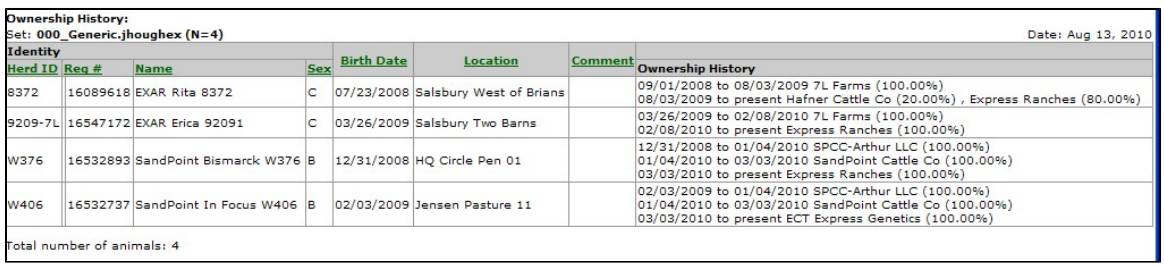
Ownership History Report
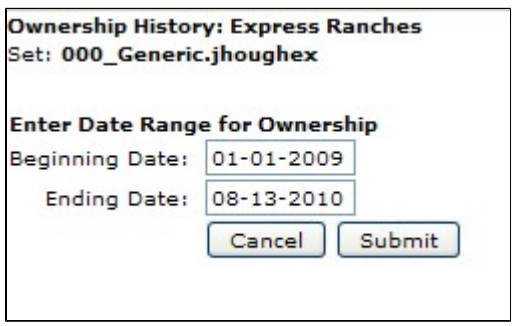
GEM not only maintains the current ownership of animals, but also a lifetime ownership history. The Ownership History Report lists all an animal's owners and ownership changes within a given date range. Many GEM reports show the current ownership for an animal, while this is the only report that shows the history.
Progeny Default Ownership Report
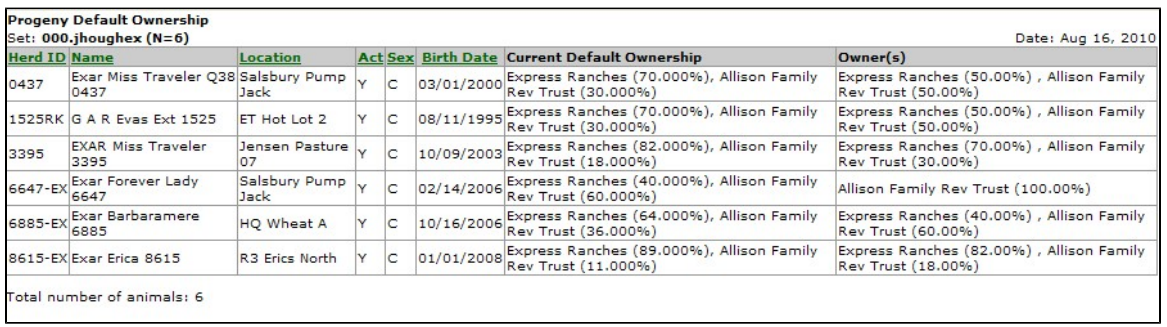
Via the Batch Animal Edit Screen, , you can assign default ownership of future calves and embryos when different Default Progeny Ownerships than the ownership of the dam. If you want the future calf / embryo ownership to default to the ownership of the dam, there is no need to do anything there, since "normal" default ownership of newly entered calves and embryos is the ownership of the dam.
The Progeny Default Ownership Report simply lists the current values you have entered for Progeny Default Ownership.
Animal Sales (All Animals) Report
The Animal Sales (All Animals) Report is not only a report but serves a host of other purposes. Note that this report is totally independent of your current set. In addition to being a report, the Animal Sales (All Animals) screen also allows you to create both people and animal sets based on sales and / or purchase specifications. Animal sales and purchases data is the most secure portion of the GEM database. Because of these security issues, you can not build animal or people sets in the normal animal sets or people sets building screens. There are only two places in GEM to build sets based on sales data. They are this screen, the Animal Sales (All Animals) Report screen and also the Animal Sales Invoices Report screen.
Security in GEM keeps you from viewing sales information you are not at liberty to see. In order to see a sale / purchase record, one of these three criteria must be met:
- You are the buyer.
- You are the seller.
- You hosted the sale (i.e., you entered the sale record into GEM via an auction or private treaty sale).
To create a list of all buyers, enter the seller's GEM ID. You can leave this blank to get a list of all sellers.
Likewise, to create a list of all buyers, enter the buyer's GEM ID. You can leave this blank to get a list of all buyers. Buying or Selling animals or getting a Sales report or a Purchase report are virtually the same thing. If "You" are the seller, then it is a animal sale. If "You" are the buyer, then it is a purchase.
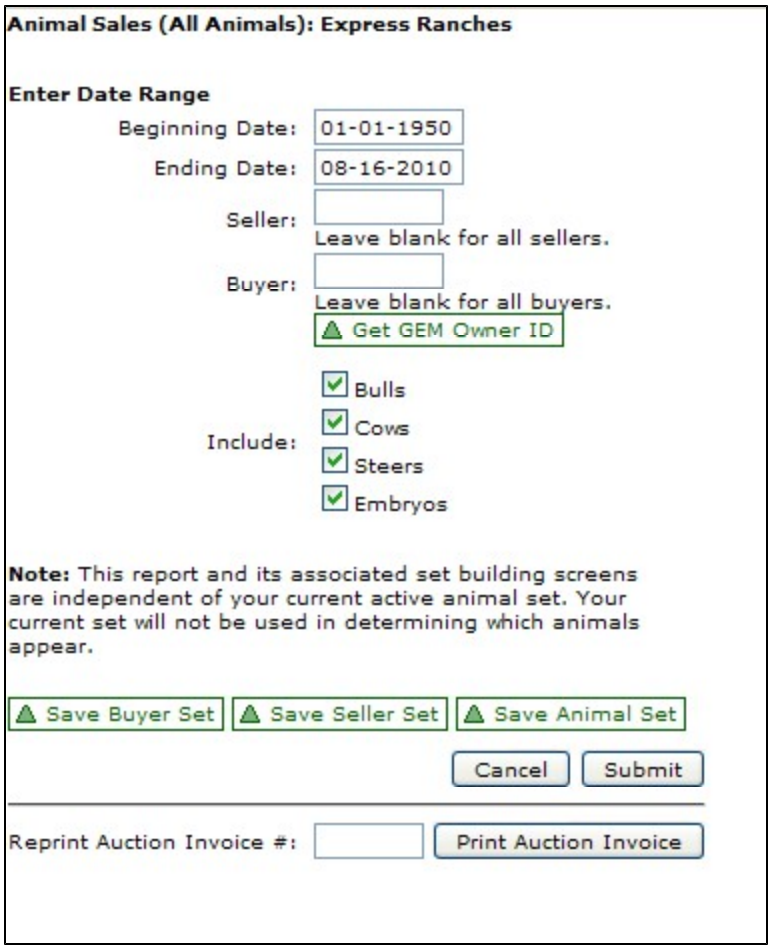
After you have the specs entered for date range, Buyer ID, Seller ID and sexes to include, you have 4 choices on forms of output.
Save Buyer Set: Allows you to create a People Set with the list of buyers in the report. Generally, these are people you have sold cattle to where you have entered your GEM ID in the Seller box and left the Buyer box blank.
Save Seller Set: Allows you to create a People Set with the list of sellers in the report. Generally, these are people you have bought cattle from where you have left the Seller box blank and entered your GEM ID in the Buyer box.
Save Animal Set: Allows you to create an Animal Set with the list of animals in the report. These are the cattle you have either bought or sold, depending on what GEM IDs you entered in the Seller or Buyer boxes.
Submit: Prints the report based on your specifications.
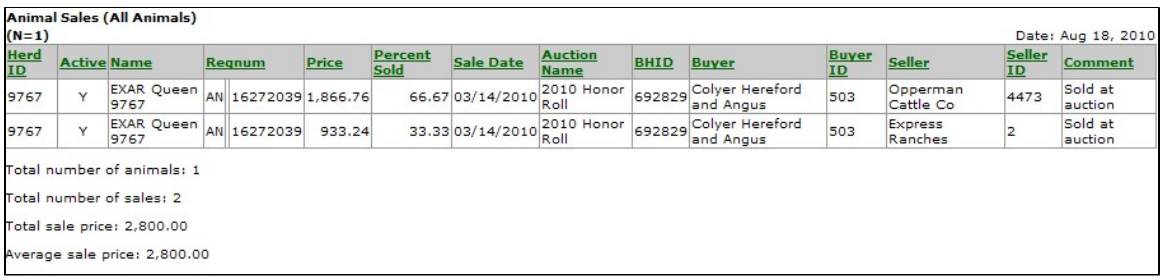
This is an example Animal Sales Report.
At the very bottom of the screen is a button called Print Auction Invoice. This simply allows you to reprint an Auction Invoice without having to go to the Auction portion of GEM. This invoice is independent of the information you entered above on the screen. It simply reprints the invoice you give it.
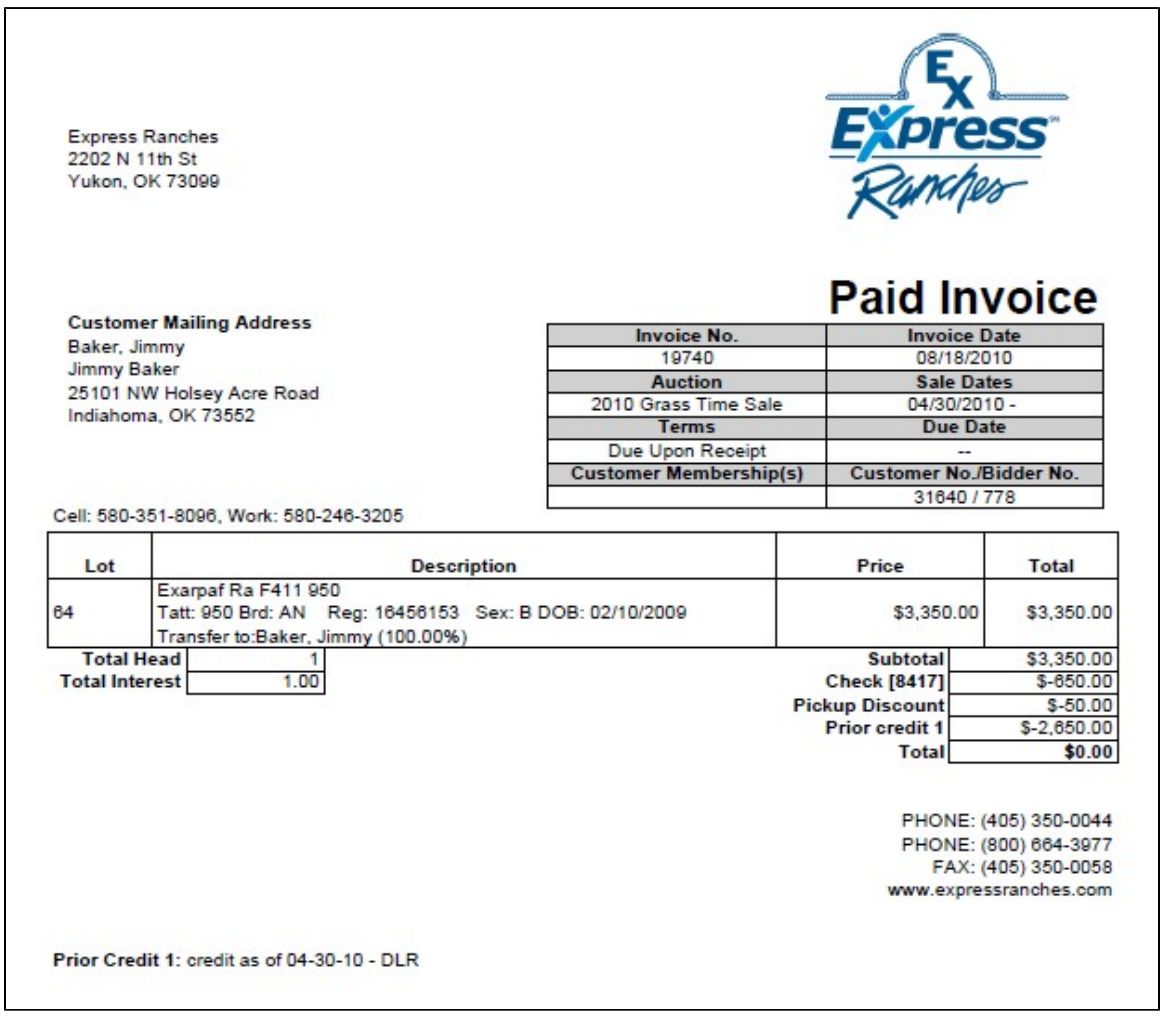
Animal Sales (Current Set) Report
Animal Sales (Current Set) Report prints any sales or purchase records associated with animals in your current set. Security in GEM keeps you from viewing sales information you are not at liberty to see. In order to see a sale / purchase record, one the these three criteria must be met:
- You are the buyer.
- You are the seller.
- You hosted the sale (i.e., you entered the sale record into GEM via an auction or private treaty sale).
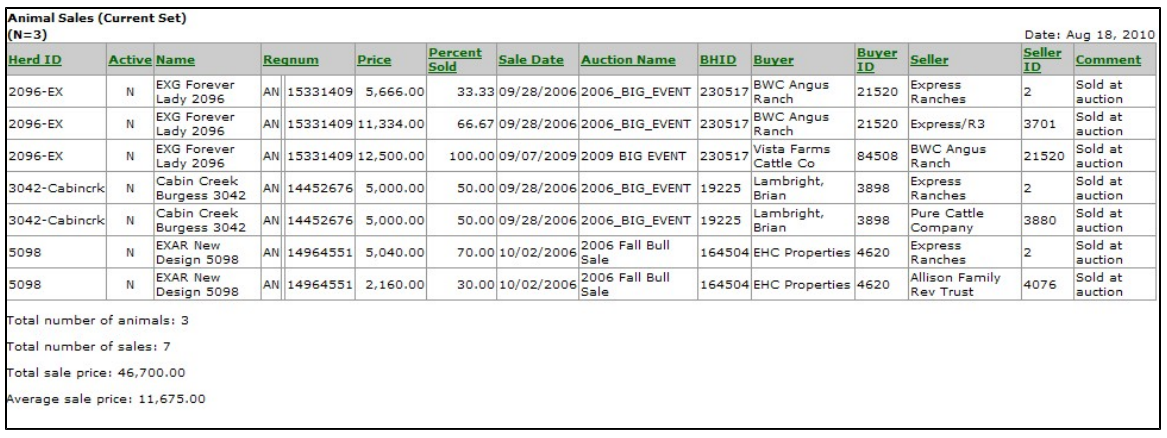
Animal Sales Invoices Report
The is very similar to the Animal Sales (All Animals) screen.
The Animal Sales Invoices Report is not only a report but serves a host of other purposes. Note that this report is totally independent of your current set. In addition to being a report, the Animal Sales Invoices Report screen also allows you to create both people and animal sets based on sales and / or purchase specifications. Animal sales and purchases data is the most secure portion of the GEM database. Because of these security issues, you can not build animal or people sets in the normal animal sets or people sets building screens. There are only two places in GEM to build sets based on sales data. They are this screen, the Animal Sales Invoices Report screen and also the Animal Sales (All Animals) screen.
Security in GEM keeps you from viewing sales information you are not at liberty to see. In order to see a sale / purchase record, one the these three criteria must be met:
- You are the buyer.
- You are the seller.
- You hosted the sale (i.e., you entered the sale record into GEM via an auction or private treaty sale).
To create a list of all buyers, enter the seller's GEM ID. You can leave this blank to get a list of all sellers.
Likewise, to create a list of all buyers, enter the buyer's GEM ID. You can leave this blank to get a list of all buyers.
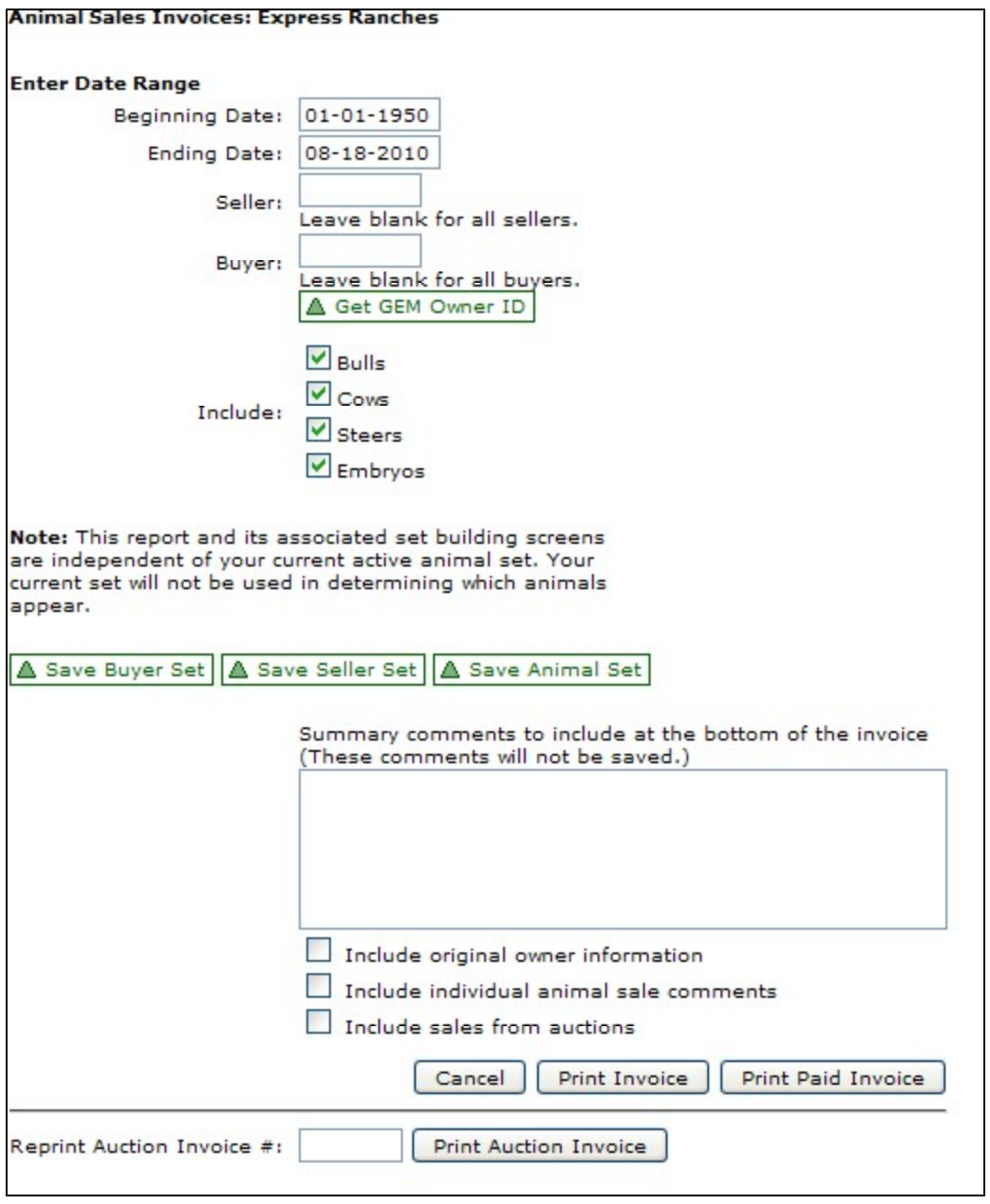
After you have the specs entered for date range, Buyer ID, Seller ID, and sexes to include, you have four choices for output:
- Save Buyer Set: Allows you to create a People Set with the list of buyers in the report. Generally, these are people you have sold cattle to where you have entered your GEM ID in the Seller box and left the Buyer box blank.
- Save Seller Set: Allows you to create a People Set with the list of sellers in the report. Generally, these are people you have bought cattle from where you have left the Seller box blank and entered your GEM ID in the Buyer box.
- Save Animal Set: Allows you to create an Animal Set with the list of animals in the report. These are the cattle you have either bought or sold, depending on what GEM IDs you entered in the Seller or Buyer boxes. When printing this PDF Sales Invoice, you have the option of adding your personalized Summary Comments to the report as well as including in the invoice:
- Original owner information
- Individual animal sale comments
- Sales from auctions. When this box is not checked, you get only private treaty invoices. When this box is checked, you get both private treaty invoices and public auction invoices.
- Submit: Prints the PDF (Adobe Acrobat) Sales Invoice based on your specifications.
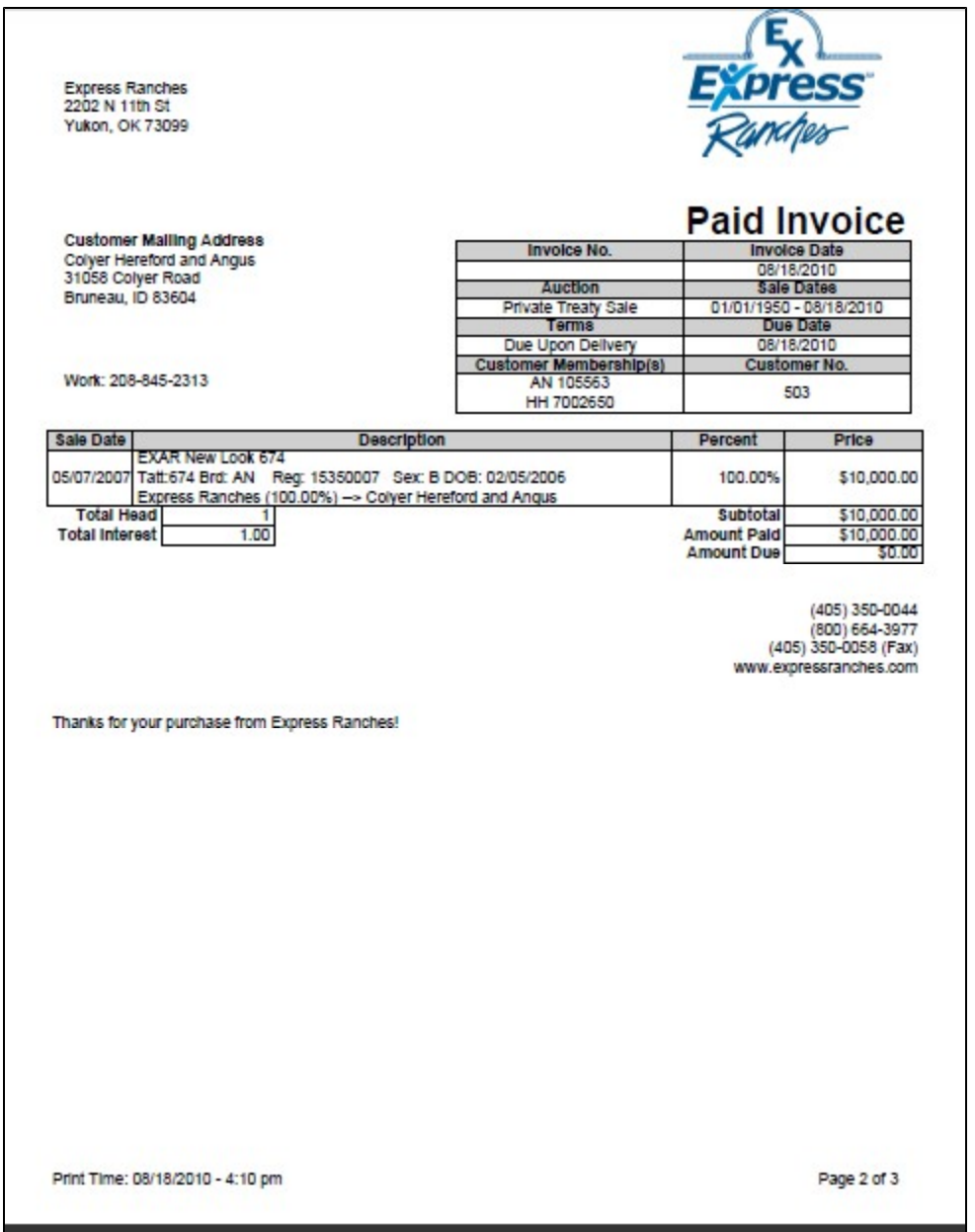
This is an example Animal Sales Invoices Report.
At the very bottom of the screen is a button called Print Auction Invoice. This simply allows you to reprint an Auction Invoice without having to go to the Auction portion of GEM. This invoice is independent of the information you entered above on the screen. It simply reprints the invoice you give it.
Sale Catalog Report
The Sale Catalog Report is one of the most useful reports in GEM. This can be used to print a report for your own internal use or for public use. This does not have to be used as a sale catalog, but it does work very nicely as a catalog for private treaty sales or a working version of your public auction. This works very well to show a host of information about an animal in a very compact form. This is only in a PDF (Adobe Acrobat) format.
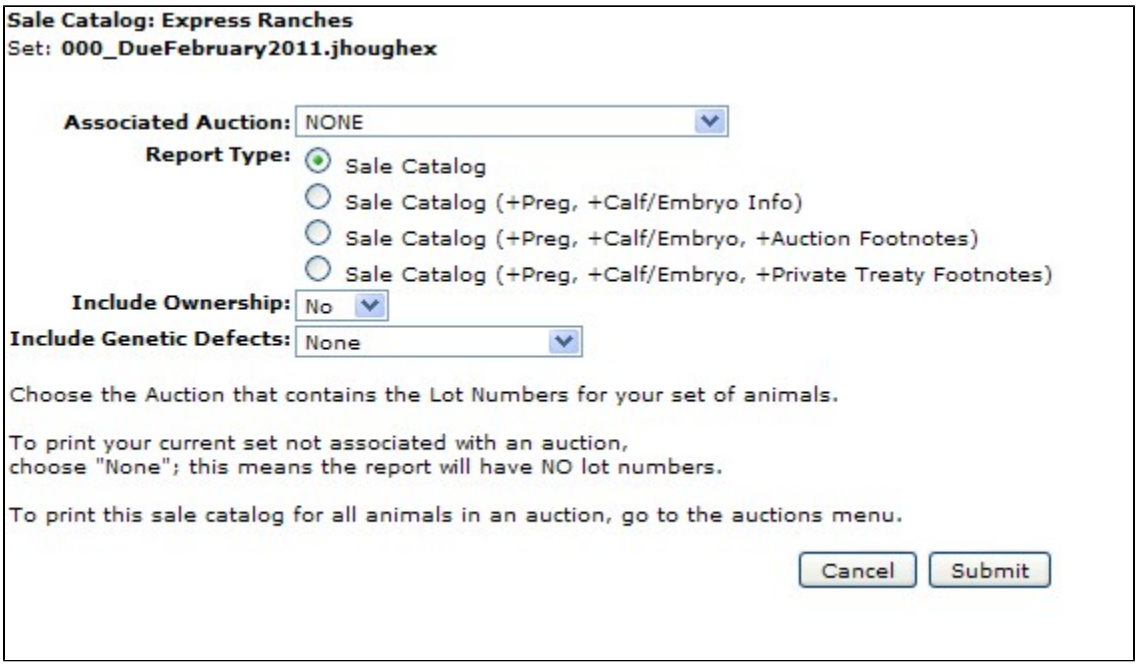
There are several options you can choose for the Sale Catalog Report.
This report automatically detects the breed association of the animal and prints EPDs pertinent to that breed.
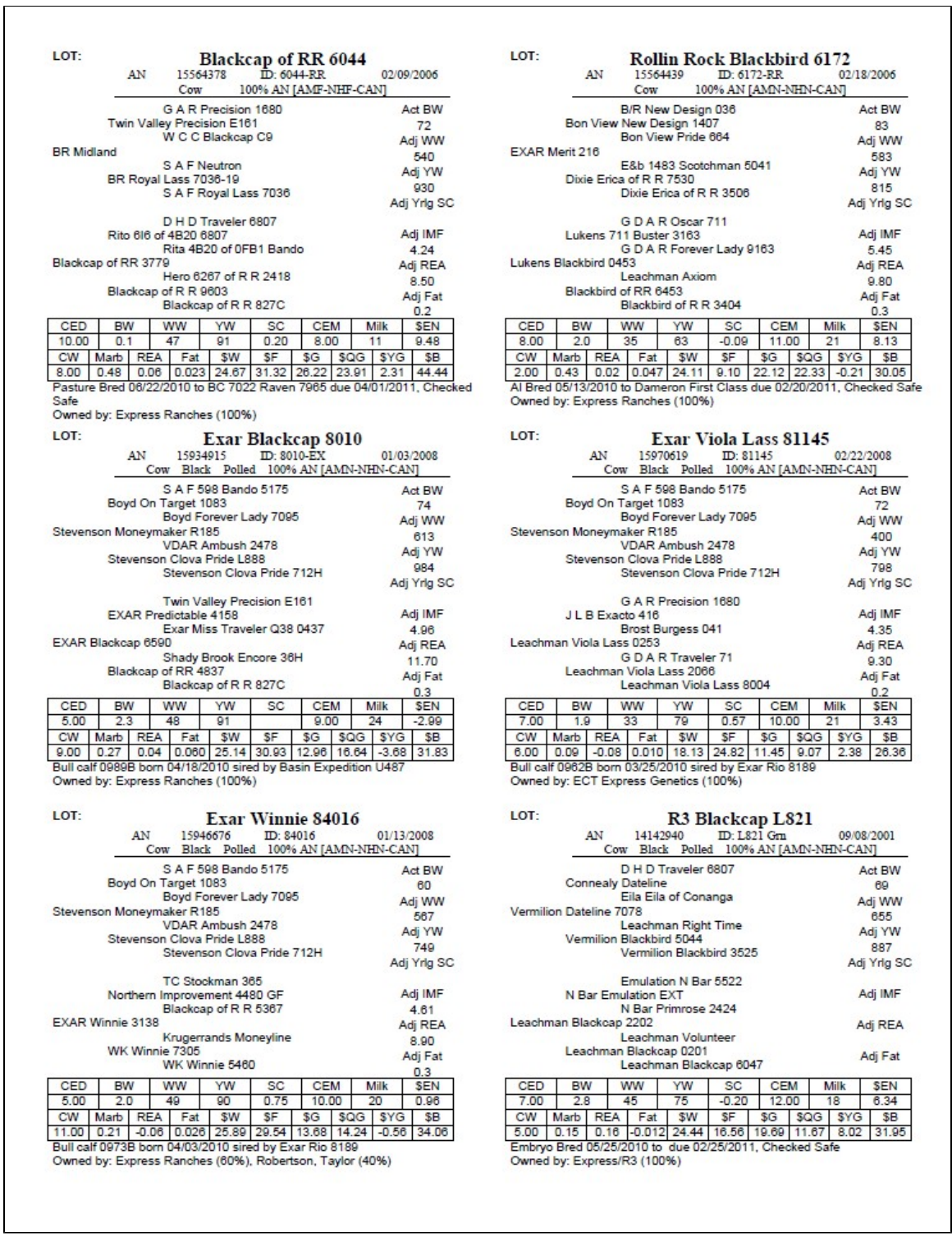
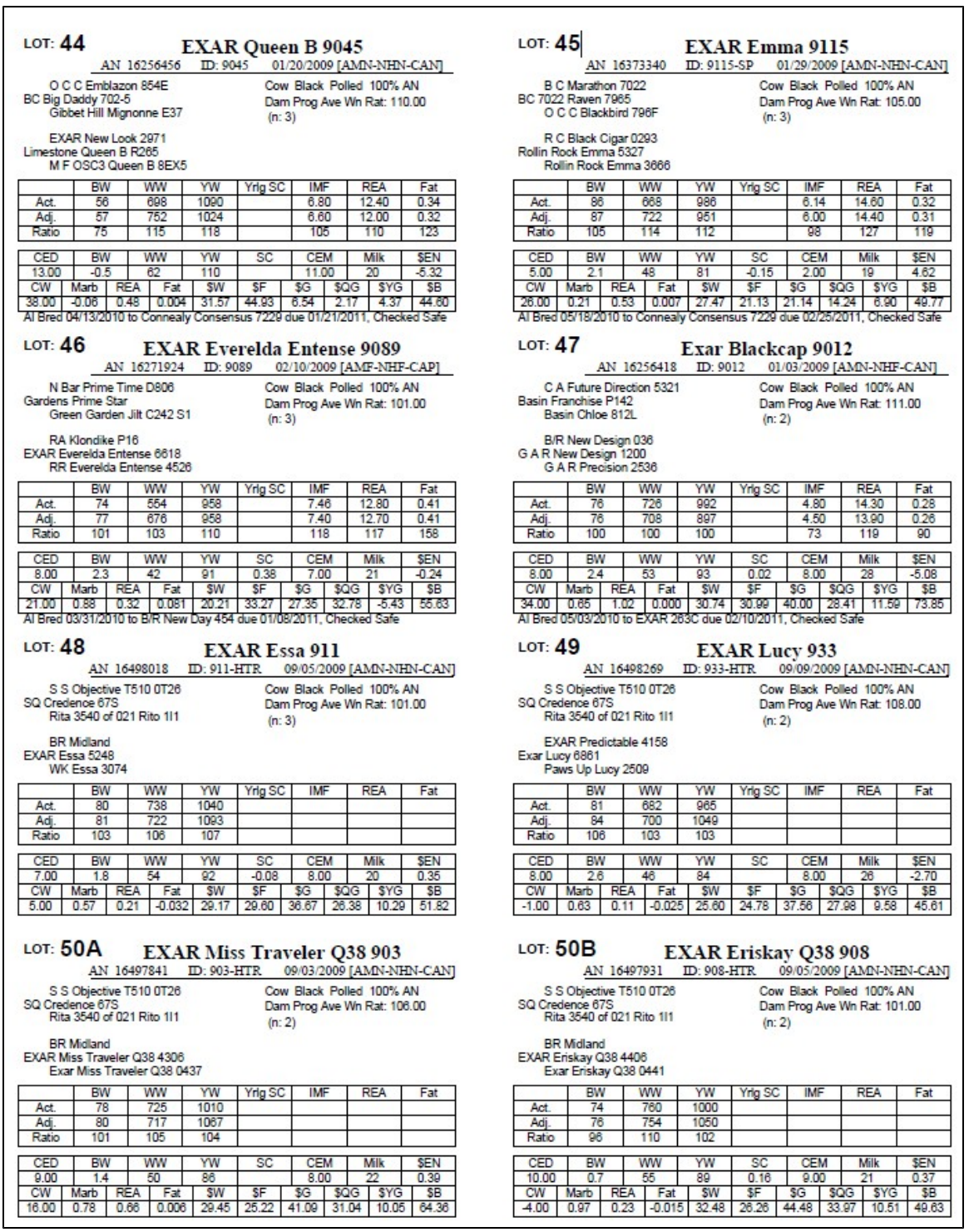
Below is a sale catalog report with no associated auction, Report Type Sale Catalog (+Preg, +Calf/Embryo Info), Include Ownership = Yes and Include Genetic Defects = All Known Results. In this Sale Catalog Report and throughout GEM, when Pregnancy information is printed, a cow is considered pregnant only after she has been preg checked.
Below is a sale catalog report with an associated auction, Report Type Sale Catalog (+Preg, +Calf/Embryo, +Auction Footnotes). Whenever Footnotes are printed, this report goes from a 6-animal per page to a 4-animal per page format. Auction Lot Numbers and Footnotes are entered via the Auctions component in GEM. Private Treaty Footnotes can be entered via Private Animal Data, either in a single-animal edit mode or through the batch mode.
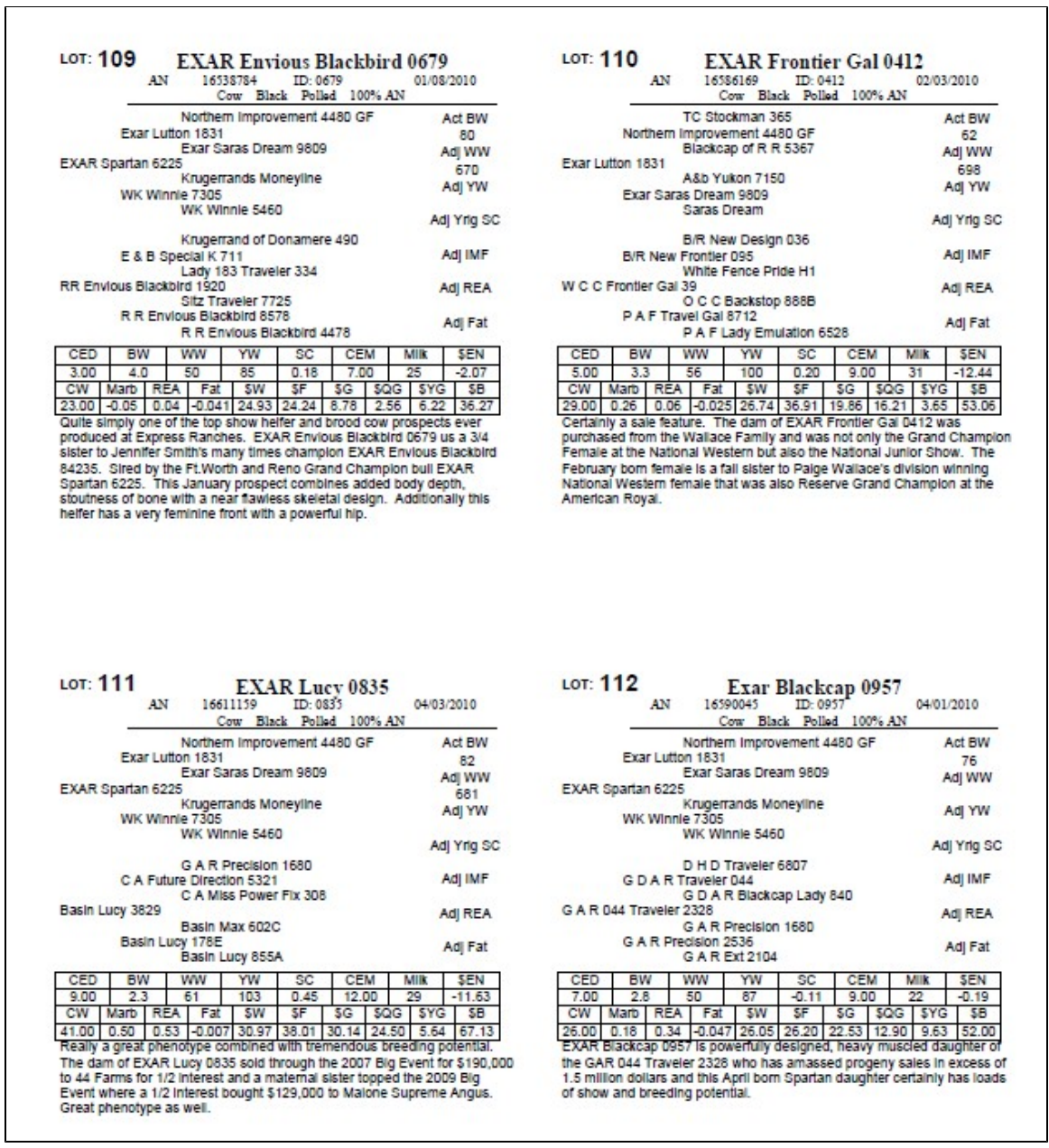
This report prints animals in you currently active set. To print a sale catalog for all animals in an auction, go to the auctions menu to do so.
Sale Catalog (alt) Report
The Sale Catalog (alt) Report is an alternative or variation of the original Sale Catalog Report. The Sale Catalog (alt) Report has the very same options as the Sale Catalog Report.
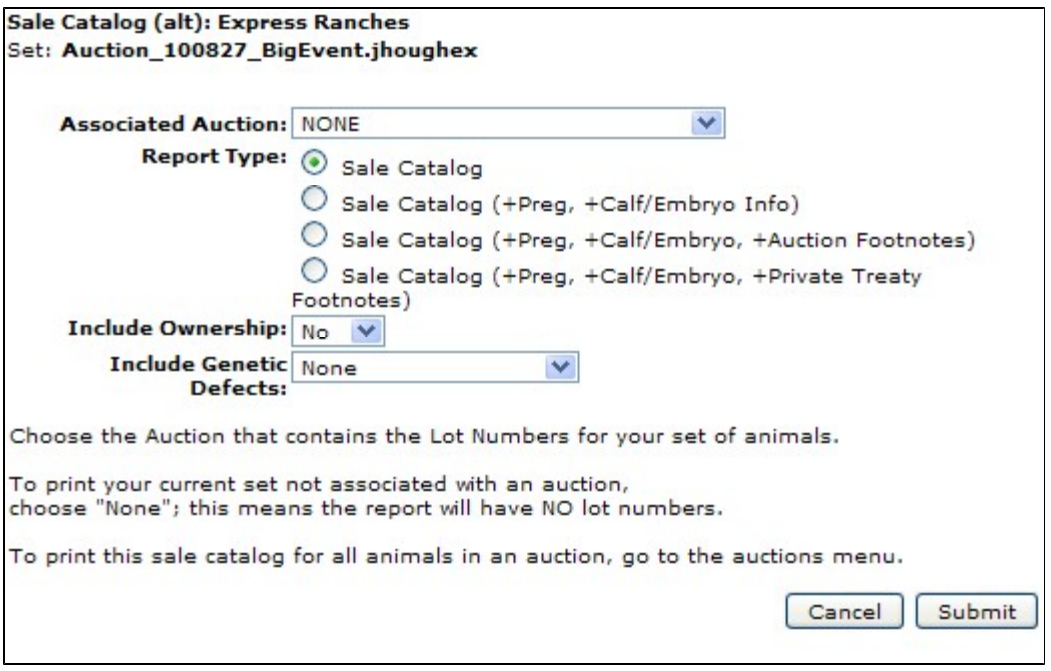
Compared to the original version of the Sale Catalog Report, the Alt version
- has 8 not 6 animals per page (with the non-footnotes option)
- shows 2 not 3 generations of pedigree
- shows the dam's average weaning ratio and number of calves making up that ratio
- shows not only adjusted measurements, but also actual and ratios for several performance traits.
Deals Report
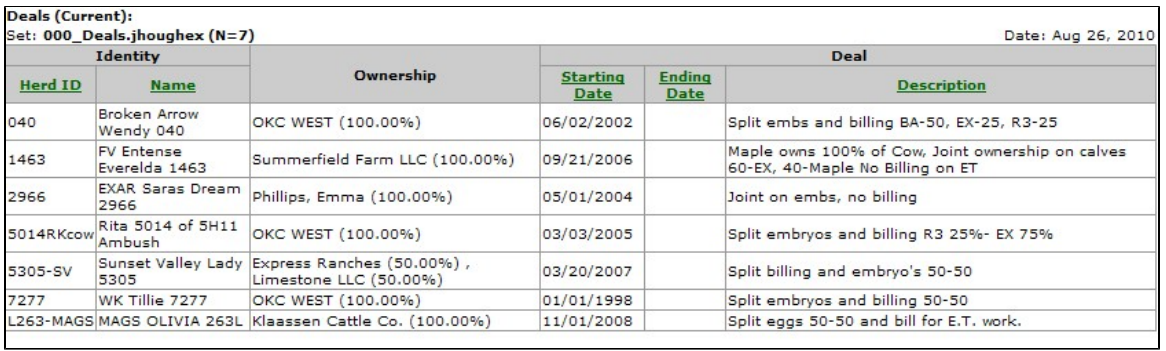
With each partnership cow you own, there is probably a "deal" worked out on who gets what calves and or embryos, who decides the service sire, who pays general or ET expenses, who has possession and when. The list goes on and on. With the "Deals" single animal edit screen, you can enter this pertinent info for each of your partnership animals. The Deals Report simply prints the Deal you potentially have with partners on a cow. You are given the option to print only active Deals (with no ending date or a future ending date) or all Deals (with an ending date in the past). There are several key places throughout GEM where you can access this report.
General/Performance Reports
Animal Reports are where you report information on multiple animals at one time. Typically, animal on the report are those in your active animal set. Those reports that do not print your currently active set are so noted. There are five output options which you can output your report. Not all reports have all output options though. Only non-grayed-out (colored) options are available for a given report.
ET Reports
The ET Reports section of reports deals with aspects associated with Embryo Transfer. Several different reports can be generated, depending on if you are focusing on the Donor cow, the Embryo / Calf or the Recipient Cow. Throughout GEM, we consider an embryo and a calf to be nearly the same thing. The main difference is that an calf has a birth date while an embryo does not.